
What Is an AMOLED Screen and How Does It Work?
An Amoled Screen can make a night scene look striking: the sky turns nearly black, while a small streetlight glows sharply against it. That effect begins with tiny organic light-emitting diodes. Unlike a conventional LCD, each pixel produces its own light. When a pixel is switched off, it can display deep black without a separate backlight.
The “AM” in AMOLED means active matrix. A thin-film transistor layer controls each pixel, adjusting its brightness and color as images change. In practical terms, this helps the screen show detailed motion, vivid colors, and strong contrast. It can also support slim device designs. Yet performance varies. Panel tuning, brightness settings, content, and viewing conditions all shape what people actually see.
Display analyst Dr. Raymond M. Soneira is known for evaluating screens through measurement. A concise paraphrase of that measurement-focused approach is: “Judge the image, not the label.” It is a useful reminder, not a verbatim quotation. AMOLED is a display technology, not a guarantee that every screen will look the same. Dark scenes may use less power, while bright interfaces can draw more. Long-term image retention is also worth understanding, though its likelihood depends on usage and device safeguards. There is a little more to the story than “brighter and better.” This guide explains how AMOLED pixels work, what distinguishes them from LCDs, and which trade-offs matter when choosing a device.
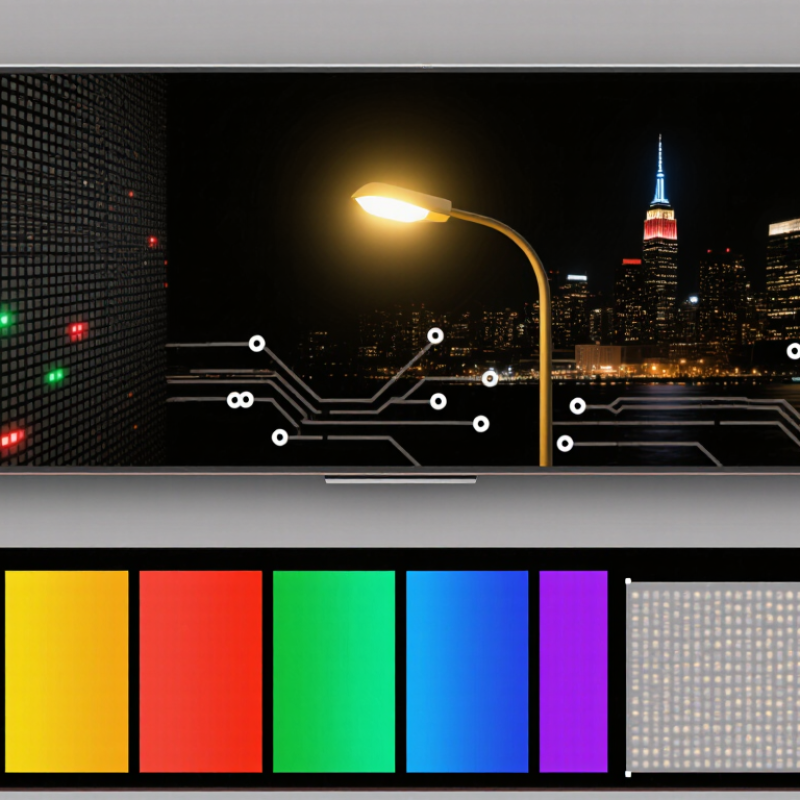
What Defines an AMOLED Screen?
An AMOLED screen is a display built from organic light-emitting diodes controlled by an active matrix. Each pixel produces its own light when an electric current passes through its organic materials. Unlike an LCD, it does not need a separate backlight. No backlight is needed. That distinction matters. A thin-film transistor circuit switches and regulates the pixels, helping the screen address many points quickly. The red, green, and blue subpixels combine at different brightness levels to create colors. Their exact arrangement can vary between displays.
Because each pixel can dim or switch off independently, dark areas can appear genuinely black. This can create strong contrast in a dim room, while bright text remains sharply defined against a dark background. The name does not describe one fixed pixel layout or guarantee identical performance across screens. Power use also depends on what is shown: bright images may draw more energy than darker ones. Organic materials can age unevenly, so a static bright element displayed for long periods may contribute to image retention. It is a useful technology, but not a perfect one. Brightness, color accuracy, and lifespan depend on the panel’s design and use.
How AMOLED Pixels and Layers Are Structured
An AMOLED screen is built from a thin stack of functional layers, not one glowing sheet. At the rear, a thin-film transistor (TFT) backplane contains tiny switching circuits. Each circuit controls the current supplied to a pixel. Above it sit electrodes and organic layers that emit light when current passes through them. No separate backlight is needed. Each pixel can switch off.
The organic stack often includes hole- and electron-transport layers around an emissive layer. Their exact arrangement varies by panel design, so a simplified diagram may not show every layer. That detail matters. A red, green, or blue subpixel emits its own light, while the TFT circuit adjusts its brightness. Some displays use different subpixel layouts, which can affect how fine text appears at close range. A protective encapsulation layer helps shield the moisture-sensitive organic materials. The finished stack is extremely thin, but its layers must align precisely. Tiny differences can influence brightness and color. It is easy to picture neat, identical pixels; real panels are more complicated.
How Active-Matrix Circuits Control Each Pixel
An AMOLED screen does not send one command to the whole display. Its active-matrix backplane gives each pixel a small circuit, usually built from thin-film transistors and a storage capacitor. The transistors act like switches and controls. They select a pixel, then regulate the current flowing through its red, green, and blue OLED subpixels.
During a refresh, row and column lines deliver image data across the panel. A selected transistor lets the pixel’s circuit receive its brightness setting. The capacitor helps hold that setting until the next refresh, so the pixel can keep emitting light without constant rewrites. Tiny job. The OLED material produces light directly; a brighter setting generally means more current.
This arrangement lets pixels change independently, which supports fine detail and quick transitions. It also means a dark pixel can emit very little light, rather than relying on a separate backlight. The explanation sounds tidy, but real panels involve calibration and small differences between pixels. Driving circuits compensate for some variation, though performance can shift with temperature, age, and display settings.
That matters. When examining a screen, look for smooth gradients and consistent brightness, not just vivid colors.
How AMOLED Screens Produce Color and Contrast
An AMOLED screen creates light at the pixel level. Tiny organic light-emitting diodes produce red, green, and blue light, while an active matrix controls each pixel’s output. Varying the brightness of these colored subpixels creates the colors you see. For example, a bright red icon against a black background can glow while nearby pixels remain almost completely dark.
That pixel-level control also shapes contrast. When a pixel displays black, it can switch off instead of blocking a shared backlight. This gives dark scenes deep shadows and helps bright details stand out. The effect is easy to notice in a dim room, where a small white subtitle may appear crisp against a dark image. Still, deep blacks do not guarantee accurate color. Calibration, screen brightness, and viewing conditions all matter, and some shades can look oversaturated.
Tips: Lower brightness in a dark room to reduce eye strain. Try a neutral color setting when judging photos, since vivid modes can exaggerate reds and greens. Dark interfaces may use less power, but the savings depend on content and screen settings.
What Affects AMOLED Display Performance and Lifespan
AMOLED performance depends on each pixel’s current, temperature, and workload. Unlike LCDs, AMOLED pixels produce their own light, so bright white screens can draw more power than dark screens. A 2020 review in IEEE Transactions on Electron Devices identifies operating current and heat as major factors in OLED aging. Keep brightness moderate. Heat matters.
Lifespan is often described using LT50: the time taken for brightness to fall to half its initial level under stated test conditions. It is not a guaranteed service life. A long-duration OLED burn-in test published by an independent display-testing laboratory in 2022 ran screens for thousands of hours and documented uneven wear around persistent interface elements. The finding is useful, but test patterns and lab conditions cannot predict every person’s results.
In daily use, a bright navigation bar left in the same place for hours may age those pixels faster than changing video scenes. Adaptive brightness, short screen timeouts, and varied content can reduce prolonged stress. Dark mode may lower power use on many AMOLED screens, though the effect depends on content and brightness. One caveat: aging can still vary between panels, even with similar use. A screen’s measured lifespan should therefore be read alongside its brightness, temperature, and test method.
What Is an AMOLED Screen and How Does It Work? — What Affects AMOLED Display Performance and Lifespan
| Dimension | How It Works | Effect on Performance or Lifespan | Practical Detail |
|---|---|---|---|
| AMOLED structure | AMOLED means active-matrix organic light-emitting diode. Each pixel contains organic light-emitting elements, while a thin-film transistor (TFT) backplane controls pixel current. | Individual pixels can produce light without a separate backlight, enabling thin panels and precise per-pixel brightness control. | “Active matrix” describes the pixel-control system; it is not a separate type of light source. |
| Black levels and contrast | A pixel displaying black can be switched off, rather than blocking light from a backlight. | This allows very deep blacks and high contrast in dark scenes. Reflections from ambient light can still affect perceived contrast. | Dark interfaces may use less display power when many pixels are off, though total device power also depends on content and other components. |
| Brightness and automatic limiting | Brightness is controlled by the amount of current supplied to emitting pixels. Some panels reduce brightness when large areas are bright to manage heat and power. | High brightness can improve readability in bright surroundings, but sustained high output increases power use and can accelerate material aging. | Peak brightness may be available only for limited areas or under specific conditions; it is not necessarily the full-screen brightness. |
| Refresh rate | The display refreshes its image a set number of times per second. Many devices offer standard modes such as 60 Hz or higher-rate modes such as 120 Hz. | Higher refresh rates can make scrolling and animation look smoother, but may require more power. Variable-refresh systems can adjust the rate to the content. | Refresh rate is different from response time, which describes how quickly a pixel changes state. |
| Pixel response | OLED pixels can change their light output quickly because they emit light directly, without a liquid-crystal shutter. | Fast transitions can reduce motion blur, although perceived motion clarity also depends on refresh rate, content, and display processing. | Actual response varies with the panel, operating conditions, and the brightness transition being measured. |
| Uneven pixel aging and burn-in | Organic emitting materials gradually lose output with use. Pixels used more often or driven harder can age at a different rate from surrounding pixels. | Long-term, uneven wear can leave a persistent ghost image, commonly called burn-in. Temporary image retention may fade after the content changes. | Varying displayed content and avoiding unnecessarily high brightness for long periods can reduce uneven wear; burn-in risk is not eliminated. |
| Temperature and heat | Display operation generates heat, and the panel’s electrical and material behavior changes with temperature. | High temperatures can contribute to faster aging. Thermal management may also limit brightness or performance during demanding use. | Avoid leaving a device in hot environments, such as a sun-heated vehicle, especially while it is operating or charging. |
| Power consumption | Power use depends partly on how many pixels are lit and how brightly they are driven. | Bright, mostly white content can use more display power than dark content on many AMOLED panels. Actual results vary by panel design and device settings. | Screen brightness, refresh rate, and the displayed image all influence power consumption; dark mode does not guarantee a fixed amount of savings. |
| Color and calibration | Color is produced by controlling the output of red, green, and blue subpixels, with the exact arrangement varying among panels. | Color accuracy and appearance depend on calibration, color mode, brightness, and panel characteristics. | Vivid modes may look more saturated than color-accurate modes; this is a setting choice, not necessarily a sign of panel damage. |
| Expected lifespan | There is no single lifespan figure for all AMOLED displays. Aging depends on brightness, temperature, usage pattern, panel construction, and time in use. | Output can gradually decrease or become less uniform over time; this does not mean every panel will develop noticeable burn-in. | Manufacturer test conditions and real-world usage differ, so a precise universal service-life estimate is not meaningful. |
Note: Performance and aging characteristics vary by panel and device. Values such as brightness and refresh rate are operating specifications, not guarantees of long-term lifespan.